- Native macOS development
- Filesystem tooling
- Review workflows
Scrub macOS App
See what an app leaves behind.
Explore the project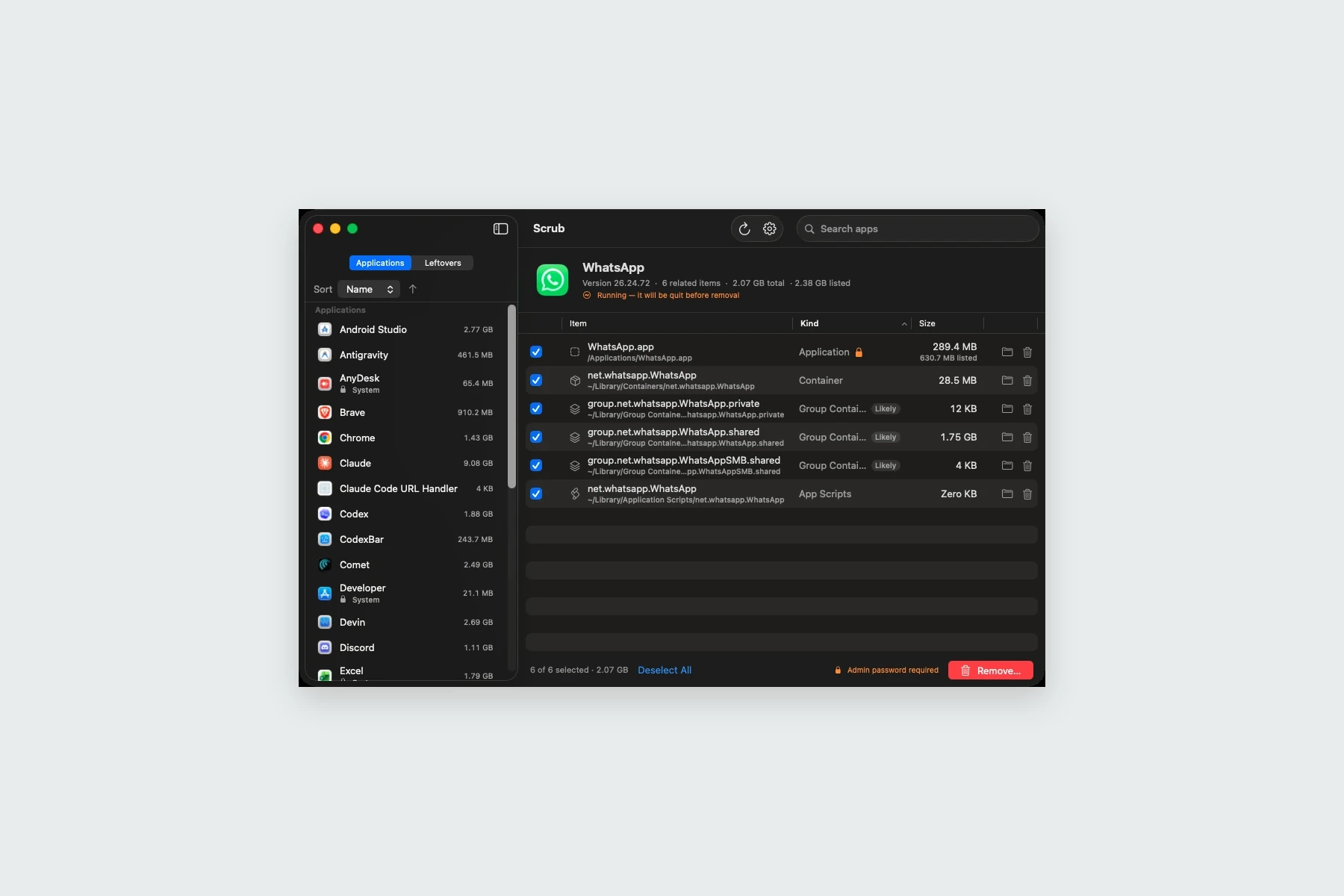
The project
An application bundle is only part of what software stores on a Mac. Caches, preferences, containers, and helper files can remain after an app is removed. Scrub brings those related files into a reviewable view.
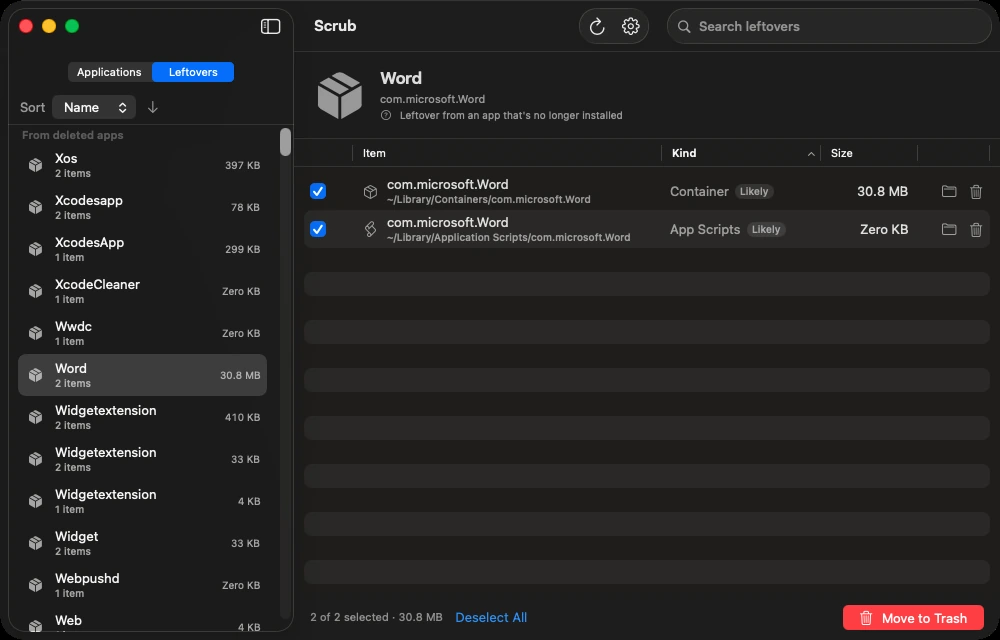
The interface shows installed applications and their disk footprint, with a separate Leftovers view for files associated with apps that are already gone.
Our approach
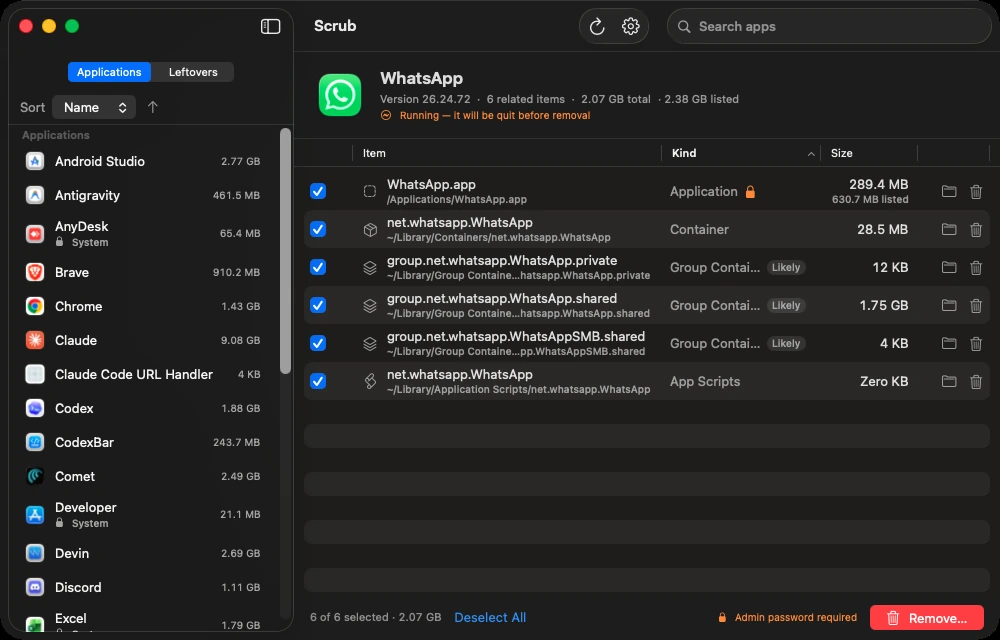
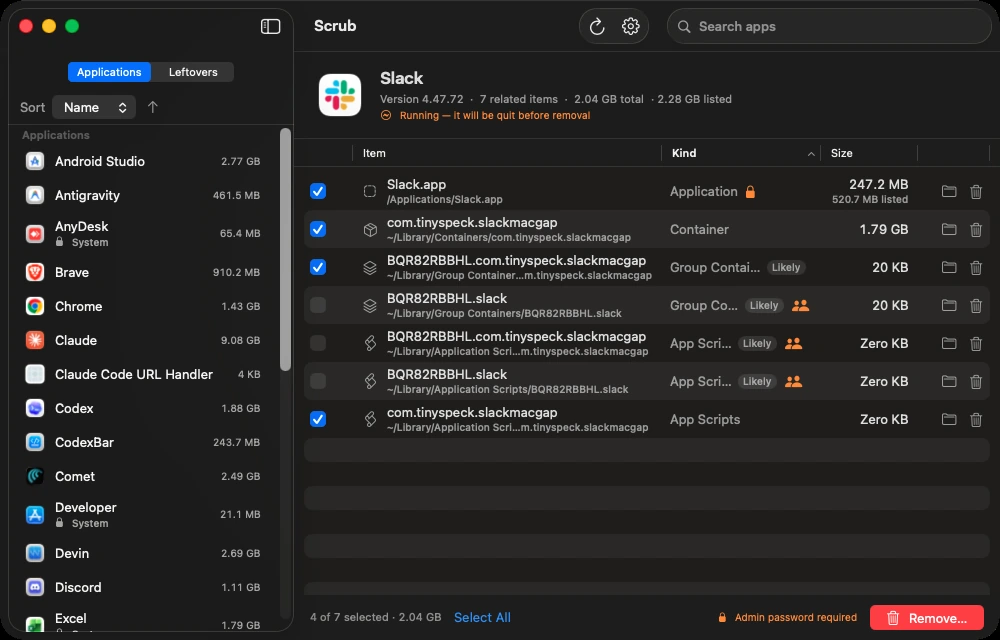
The scanning logic uses exact bundle identifiers for strong associations and presents less certain name-based matches for review. Grouped categories, file sizes, and shared-vendor warnings help explain what has been found before the user acts.
SwiftUI provides the native interface, with application details and related file groups presented together. Selection and review remain explicit, so a list of discovered files does not become an automatic instruction to remove them.
What we built
Scrub connects local file discovery with an explicit review step and ordinary Trash-based removal for supported user files.
Application inventory
Search and sort installed apps and inspect their related disk usage.
File-by-file review
See caches, preferences, containers, logs, and helper files grouped by category.
Orphaned leftovers
Find files associated with previously deleted applications.
User-controlled cleanup
Review uncertain or shared matches before moving selected files to the Trash.
Have a project in mind?
Tell us what you are building. We will help you work out the next step.
Talk to our team